
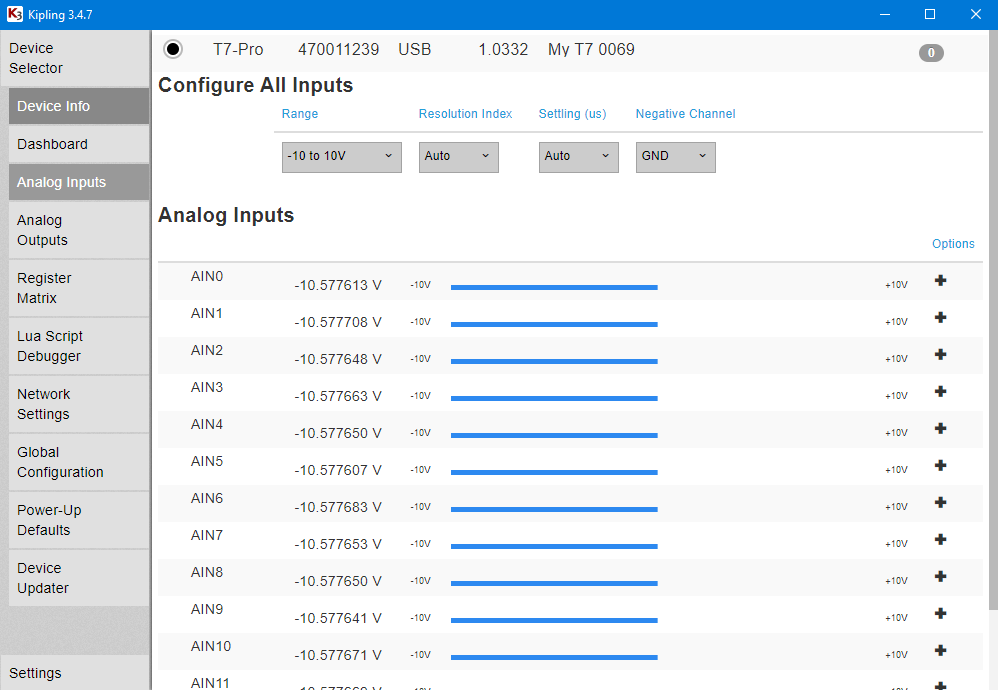
After selecting devices, a tab named "Analog Inputs" is available that displays and controls the analog inputs and the analog input extended features.
Key Features
-
Reading (non-extended channel) AIN.
-
Read and write
AIN_ALLregisters to control range, resolution, settling time, and negative channels -
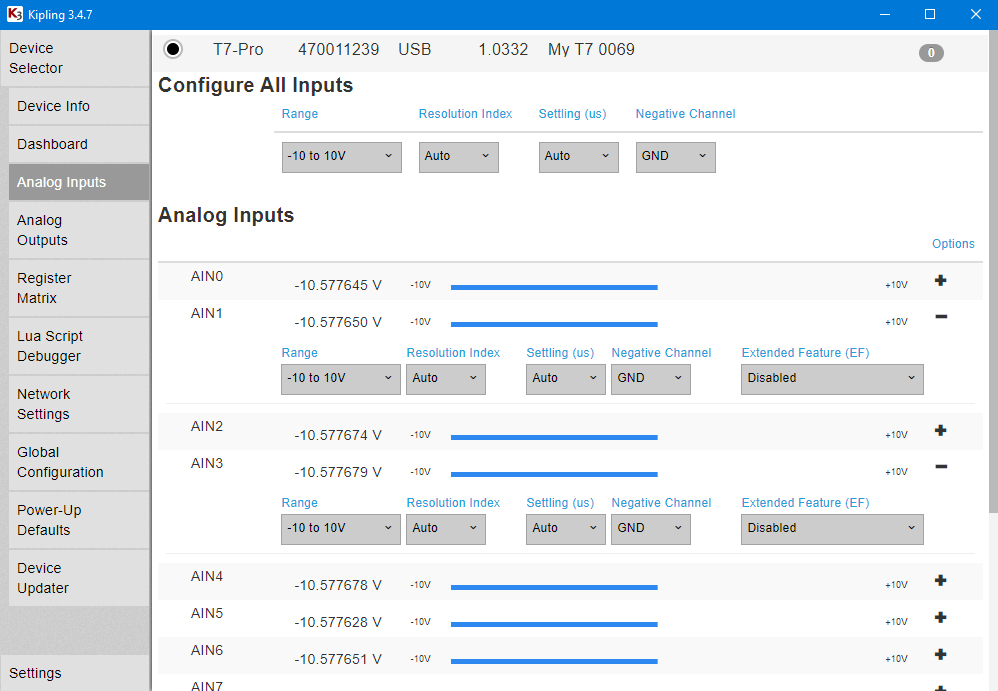
Individually configure range, resolution, settling time, negative channels, and enabled extended features.
-
Individually configure each analog input for supported extended features
For more information, see Analog Inputs in the T-series Datasheet.
Configuring AIN1 for Slope/Offset Extended Feature
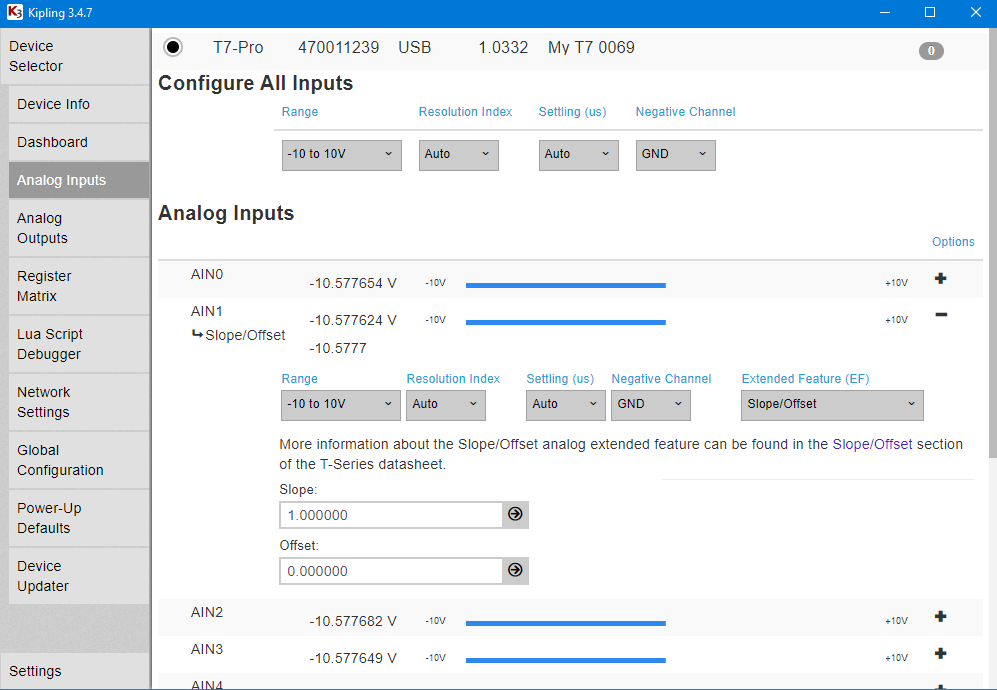
For more information, see Slope/Offset in the T-series Datasheet.
Configuring AIN0 for TypeJ Thermocouple
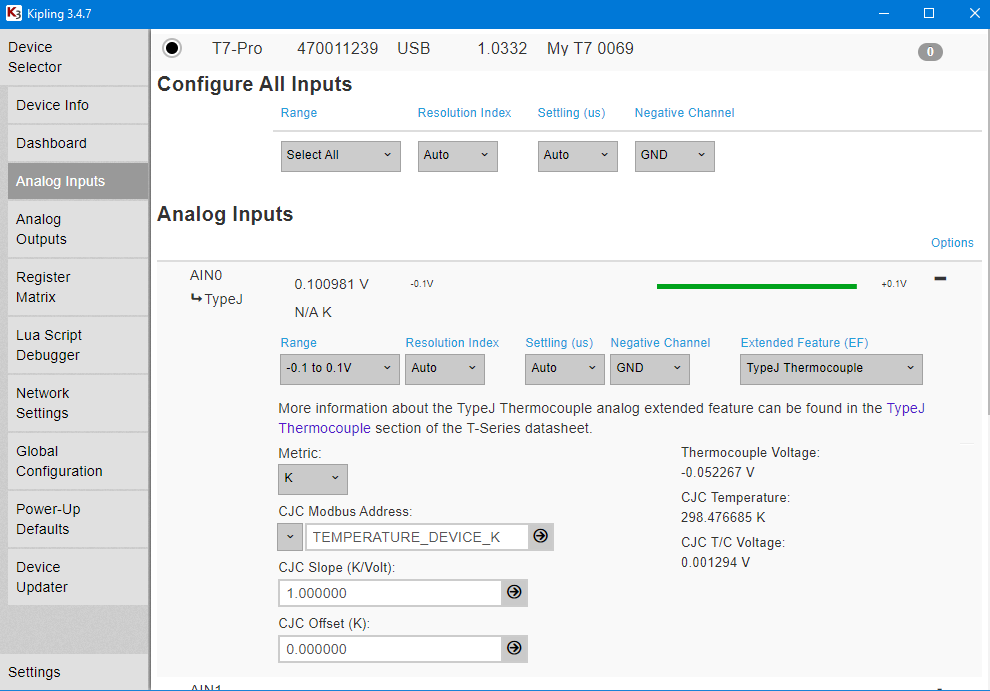
For more information, see the Thermocouple extended feature in the T-series Datasheet and the Thermocouple App Note.